
Since the late 19th century, touch typing has made life dramatically easier for anyone who works with a keyboard. Even Arthur Conan Doyle mentioned the benefits of the technique in the Sherlock Holmes story “A Case of Identity”:
— Don’t you find it tiring to do so much typing with your poor eyesight? — he asked.
— At first I did, but now I touch type, — she replied.
Ironically, touch typing was not invented out of concern for typists’ health or productivity. The method actually emerged because of the bruised ego of an ambitious office clerk.
But let’s start from the beginning.
What Is Touch Typing?
Touch typing is a technique for typing quickly using all ten fingers without looking at the keyboard. Your fingers memorize the keyboard layout through muscle memory, allowing you to type almost as fast as you think.
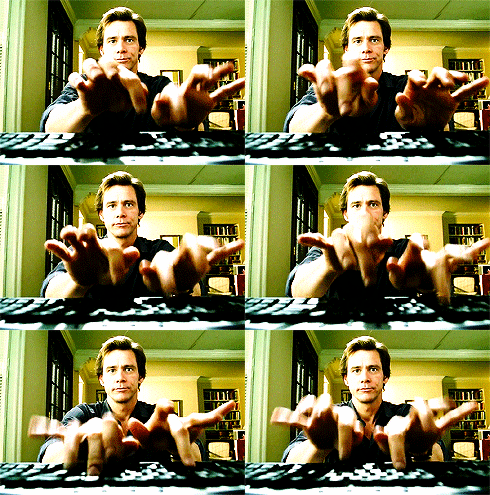
The method is nearly 150 years old. Originally designed for typewriters, it not only survived their disappearance but became even more relevant in the computer age.
A Technological Wonder of the 19th Century
The Remington No. 1 became the first mass-produced typewriter. American inventor Christopher Sholes spent 10 years developing it, creating around 50 prototypes with different keyboard layouts. He couldn’t simply arrange the letters however he wanted — the machine’s mechanical arms would jam if commonly used keys were placed too close together. The famous QWERTY layout was finalized only in 1878, even though the typewriter itself had already been in production for five years.
Unlike QWERTY, the Russian ЙЦУКЕН layout was designed without those mechanical limitations, which made it more ergonomic. The most frequently used letters are concentrated near the center of the keyboard, directly under the index fingers.
The invention of the Remington No. 1 launched the era of typewriters — and completely changed the life of one office clerk determined to become the fastest typist around.
The Man Who Wanted to Type Faster Than Everyone Else
That office clerk was Frank McGurrin. From the moment the Remington No. 1 appeared in his office, he and his boss constantly competed in typing speed. Before long, McGurrin had no real rivals left.
His boss noticed this and came up with a story about a young woman who could type at incredible speed while looking out the window instead of at the keyboard. McGurrin’s reaction was predictable:
Like every boy, when I heard that a girl could do it, I decided I could do it too. So I set to work learning to type without looking at the keyboard.
And he succeeded. The first public mention of McGurrin’s touch typing technique appeared in 1881, when Theodore S. Rose, vice president of the International Association of Stenographers, wrote:
He typed without looking at the machine at all, his eyes fixed entirely on the original copy. I am certain he wrote 97 words in one minute because I timed him myself.
In 1888, McGurrin won a typing speed competition, which sparked widespread interest in both him and his method. Three years later, Sherlock Holmes already knew about touch typing — and now your programmer friend is telling you about it too. Remarkably, after nearly 150 years, the core principles of the method remain exactly the same.
The Real Magic Behind Touch Typing
The “magic” of touch typing comes down to technique and practice.
Muscle memory plays the key role here. When you repeat the same movements often enough, they eventually become automatic. Think back to the first time you rode a bicycle. At first, balancing, pedaling, turning, and braking all required conscious effort. But with enough practice, it became second nature.
And now you probably couldn’t forget how to ride even if you tried.
Touch typing works the same way: quantity turns into quality. With consistent practice, many people can build solid typing habits within just a month.
The Basics of Touch Typing Technique
-
Start with proper posture: feet flat on the floor, back straight, elbows bent at roughly 90 degrees, hands relaxed and slightly raised above the keyboard. Your fingers rest on the home row, as shown in the image below.
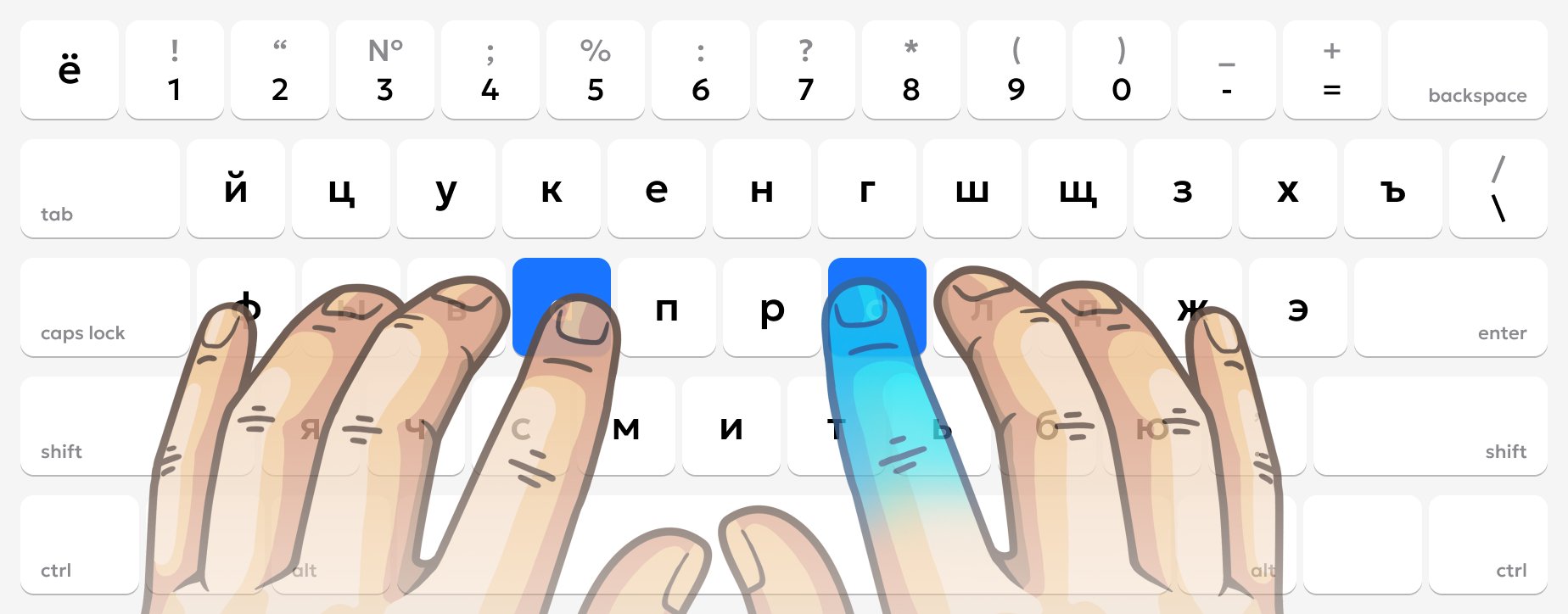 You can find the correct finger position without looking by feeling the small bumps on the F and J keys with your index fingers. You can practice this in the beginner touch typing lessons — they’re available to everyone.
 -
Each finger is responsible for a specific group of keys. Here’s how keyboard zones are organized in our lessons:
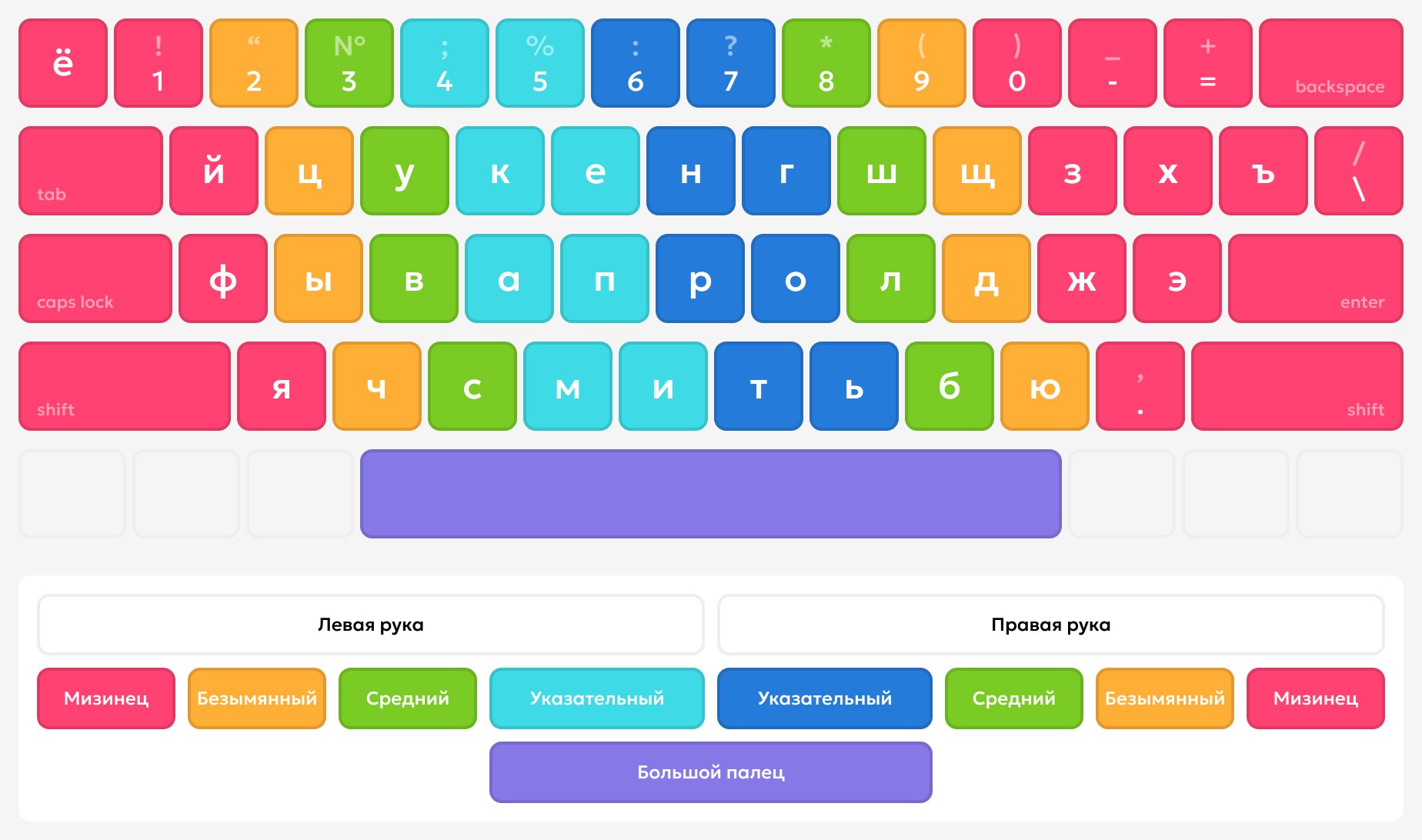 Every movement toward a key begins from the home row.
Keystrokes should be quick and precise, almost like tapping with a small hammer. Accuracy matters far more than speed in the beginning. There’s nothing worse than reinforcing incorrect habits. Speed will naturally come with time.
Every movement toward a key begins from the home row.
Keystrokes should be quick and precise, almost like tapping with a small hammer. Accuracy matters far more than speed in the beginning. There’s nothing worse than reinforcing incorrect habits. Speed will naturally come with time. -
Practice regularly and consistently, whether you use structured lessons or not. Even your everyday chat messages can become practice. Over time, your fingers will automatically move toward the correct keys, and typing will begin to feel effortless.
How Touch Typing Makes Life Easier
Today, keyboards are everywhere — on nearly every desk and in every pocket. We type while chatting, working, studying, and searching for information online. Learning touch typing allows you to do all of that much faster, while also unlocking several additional benefits:
- First, it’s better for your health. You no longer need to bend your neck to look at the keys, which improves posture and reduces strain on your eyes, neck, and wrists.
- Second, it reduces cognitive load. Because touch typing becomes automatic, your brain spends less energy on the typing process itself.
- Third, it boosts productivity. Instead of focusing on where the keys are, you focus entirely on your thoughts and ideas.
- Finally, it simply looks impressive — and it can absolutely leave a positive impression on employers.
If this 19th-century technique sounds interesting to you, but you prefer a modern learning experience, try our lessons. They’ll help you build a strong, lifelong touch typing skill step by step and faster than you might expect.


